Visible wood grain panels
Keep orientation consistent across visible components while still optimizing sheet usage and cut sequence quality.
Orientation-Aware Planning
Some jobs require a fixed panel direction for wood grain, structural orientation, or visual matching. Core planning lets you block 90-degree rotation per part before running a layout.
CutOps supports material matching and grain-direction enforcement across matching part and stock rows. Set those rules first, then review orientation and unplaced parts before accepting the result.
Some features are available only on paid plans.
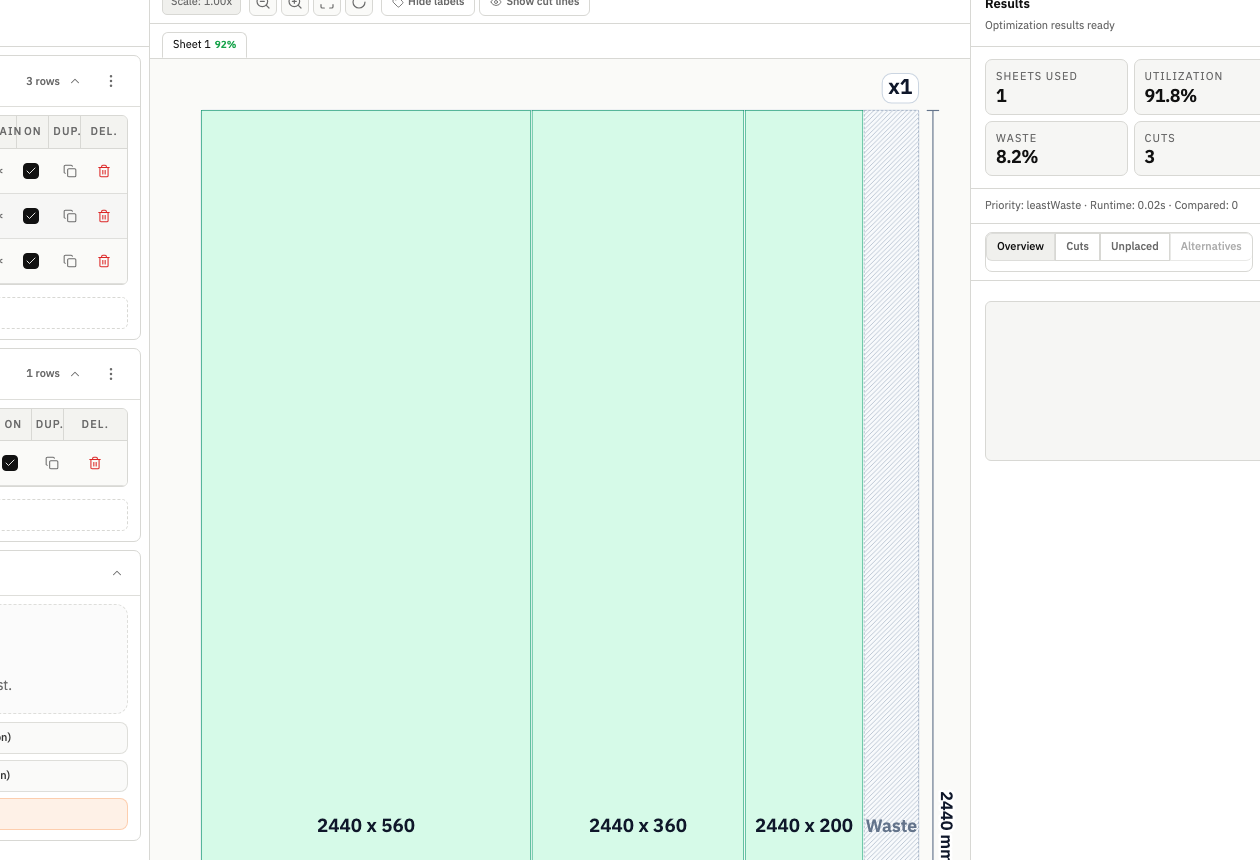
Grain direction affects how a finished piece looks and holds together. CutOps treats rotation as a hard rule — not a suggestion. Yield numbers reflect what your shop can actually cut.
Block 90-degree rotation on a part row, then configure material matching and grain-direction enforcement so direction-sensitive parts stay aligned with compatible stock.
After optimization, review orientation and unplaced parts in the visual layout. A directional result can use more material than a free-rotation plan, but it can avoid unusable components.
Keep orientation consistent across visible components while still optimizing sheet usage and cut sequence quality.
Model constraints that limit rotation so generated plans remain production-feasible and visually consistent.
Review orientation assumptions alongside utilization and cut metrics before locking a final layout.
Build topical context from feature-specific workflows. Use these pages to compare optimization strategies, validate constraints, and move from planning to production release with fewer surprises.
Yes. You can block 90-degree rotation per part and configure material matching and grain-direction enforcement across part and stock rows.
Sometimes yes, and that is expected. Grain constraints can reduce placement flexibility, so CutOps helps teams review the tradeoff between quality requirements and material efficiency.
Yes. After optimization, you can export PDF, CSV, PNG, and JSON outputs from the constrained run for review, handoff, and reproducibility.
Yes. You can start with core layout planning in your browser and review the result before cutting.
Yes. CutOps supports PDF and PNG for visual handoff plus CSV and JSON for structured downstream use.
Use per-part rotation locks and material and grain controls for direction-sensitive stock.
Cookie and privacy preferences
We use strictly necessary cookies to run CutOps. With your consent, we also collect limited analytics to improve the product. Read our Privacy Policy for details.