Composite fabrication batches
Optimize repeated rectangular panel sets and validate sheet usage before starting cutting operations.
Plastic and Composite Panels
CutOps is built for teams cutting composite and sheet plastic. Set your stock sizes and part requirements, add constraints, and run a layout. Results are efficient and easy to review.
Plastic jobs change often. Speed and consistency matter as much as waste reduction. CutOps keeps input data, layout output, and export files together — fewer decisions get lost between quoting and the floor.
Some features are available only on paid plans.
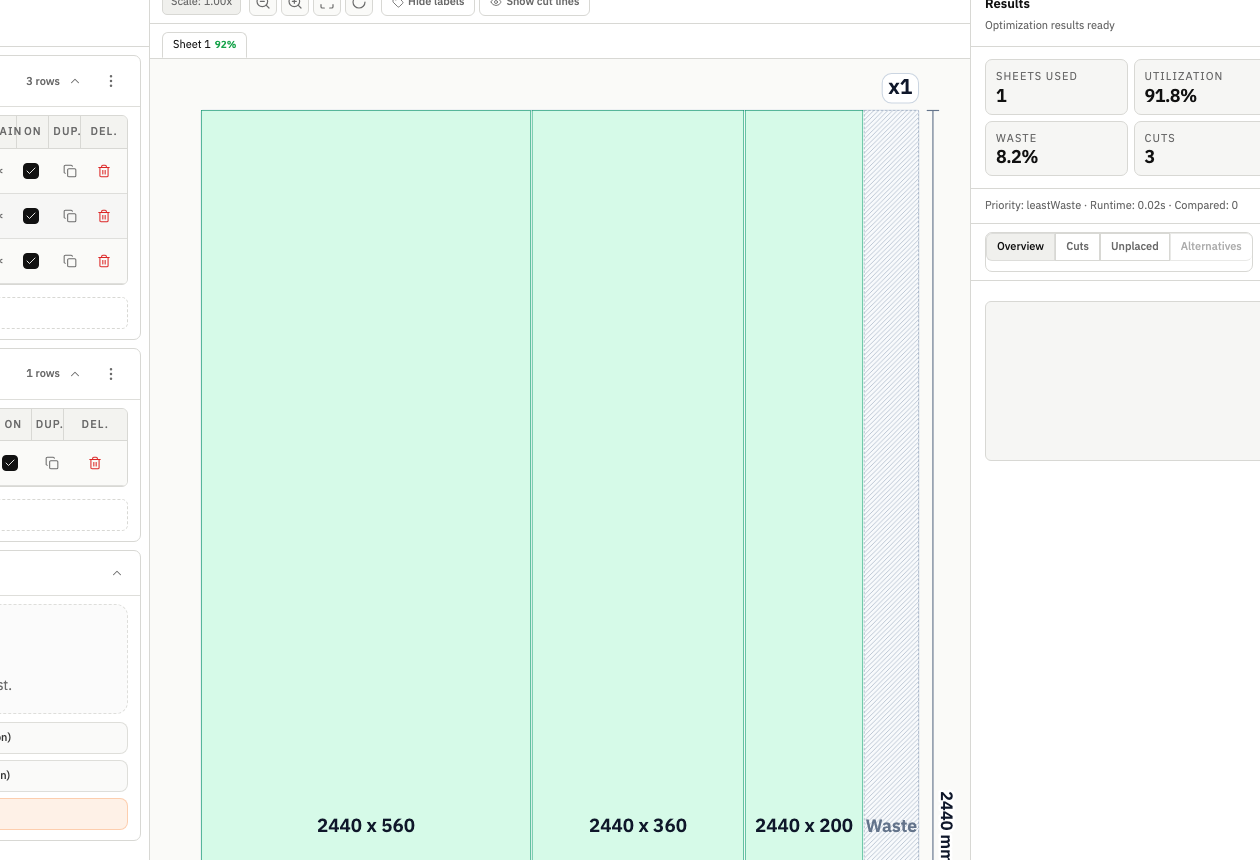
A good plastic panel optimizer makes your workflow repeatable — not just efficient. CutOps gives clear results and exports that match how your team communicates in production.
Panel sizes and quantities change from job to job. CutOps keeps the process consistent regardless. KPIs, layout, and cut details come from the same run — review is fast.
The workflow runs in your browser — start fast, share results, keep records aligned. This matters most in shops with many different job types.
Optimize repeated rectangular panel sets and validate sheet usage before starting cutting operations.
Model one-off or small batch demand with realistic stock constraints and review layout viability quickly.
Export layout visuals and structured lists so planning intent remains clear across departments.
Build topical context from feature-specific workflows. Use these pages to compare optimization strategies, validate constraints, and move from planning to production release with fewer surprises.
Yes. CutOps supports rectangular sheet and panel planning workflows and can be used for plastic and composite panel optimization where layout clarity and utilization both matter.
No. CutOps is browser-based and runs without desktop installation, which simplifies onboarding and cross-device access.
Yes. CutOps supports PDF and PNG for visual handoff, and CSV or JSON for structured downstream processing and reproducibility.
Yes. You can start with core layout planning in your browser and review the result before cutting.
Yes. CutOps supports PDF and PNG for visual handoff plus CSV and JSON for structured downstream use.
Run your next composite sheet job with a planning workflow built for clear review and reliable handoff.
Cookie and privacy preferences
We use strictly necessary cookies to run CutOps. With your consent, we also collect limited analytics to improve the product. Read our Privacy Policy for details.