Cabinet side and shelf batches
Plan repeated cabinet components across multiple sheets, verify yield, and confirm cut count before committing material for production runs.
Woodworking Planning
CutOps is a browser-based cut optimizer built for woodworking. Load your sheet stock, add the panels you need, and set quantities. Run a layout your crew can actually use — not just one that looks good on paper.
Whether you are planning a kitchen batch, closet modules, or custom millwork, the goal is the same: less waste, simpler cuts. CutOps keeps planning, review, and export in one place. Quoting and production work from the same numbers.
Some features are available only on paid plans.
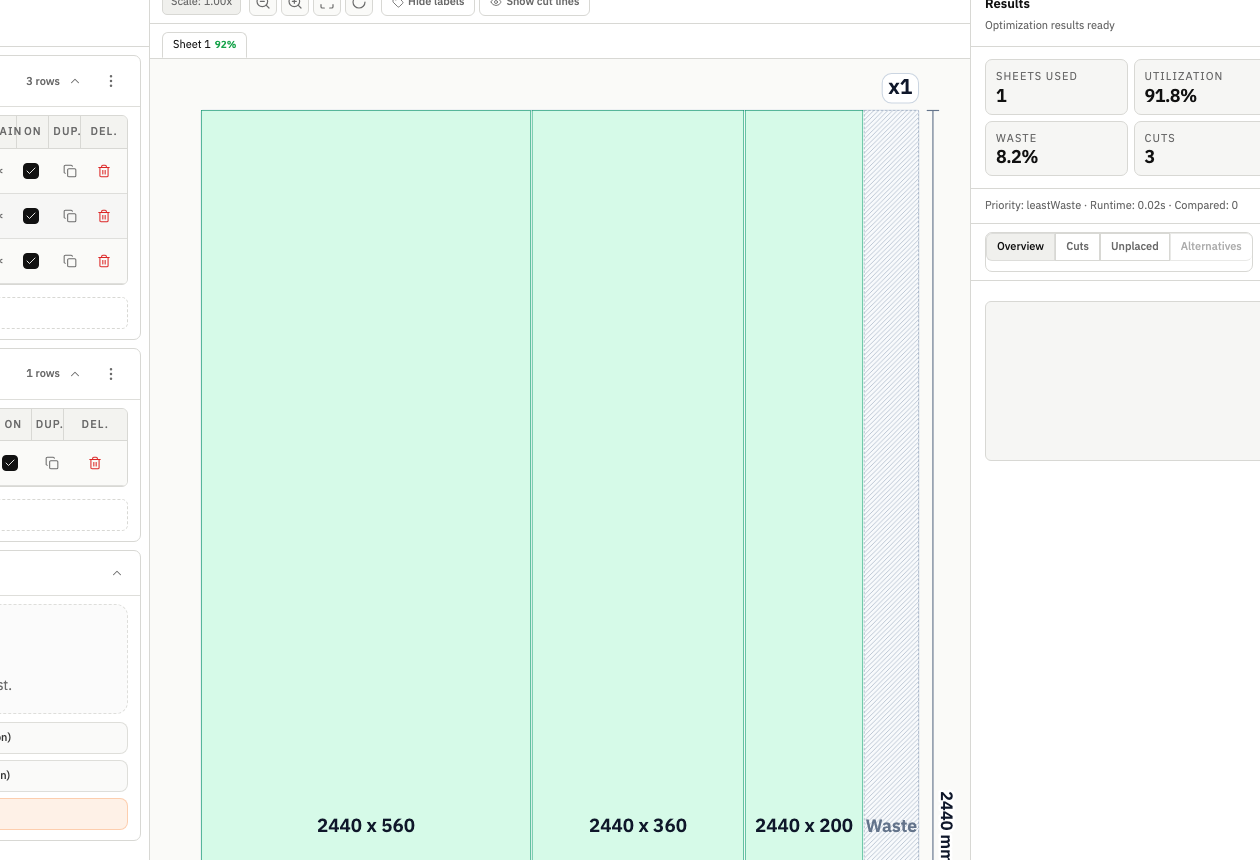
The best cut plan reflects your actual shop. Kerf, grain direction, stock limits, and handling all affect yield and labor. CutOps keeps those factors visible before you commit to a layout.
CutOps puts parts, stock, and results in one workspace. Woodworking teams move from job inputs to a usable layout — no spreadsheet rebuilding. The layout, metrics, and exports all come from the same run.
CutOps runs in the browser — no setup. Solo builders and larger shops use the same workflow. Export a visual layout or a structured cut list from the same run. For cabinet and millwork jobs, that consistency matters. Small layout differences can change cost and labor time.
Plan repeated cabinet components across multiple sheets, verify yield, and confirm cut count before committing material for production runs.
Build clean cut plans for common board materials while balancing utilization and cut simplicity for faster handling on the saw.
Model realistic stock and panel requirements in advance so estimators and operators review the same plan with the same assumptions.
Build topical context from feature-specific workflows. Use these pages to compare optimization strategies, validate constraints, and move from planning to production release with fewer surprises.
Yes. CutOps is designed for rectangular sheet materials including plywood, MDF, melamine, and similar panels. You can configure stock sizes and quantities to match what is actually available before optimization.
Set kerf and per-part 90-degree rotation locks before optimizing. Use material matching, grain-direction enforcement, and optimization depth to model stricter shop constraints.
You get a visual layout, utilization and cut metrics, and export options including PDF, CSV, PNG, and JSON. This supports internal review, operator handoff, and reproducible re-runs.
Yes. You can start with core layout planning in your browser and review the result before cutting.
Yes. CutOps supports PDF and PNG for visual handoff plus CSV and JSON for structured downstream use.
Use the CutOps woodworking cut optimizer to validate yield, cut complexity, and sheet usage before your first cut.
Cookie and privacy preferences
We use strictly necessary cookies to run CutOps. With your consent, we also collect limited analytics to improve the product. Read our Privacy Policy for details.