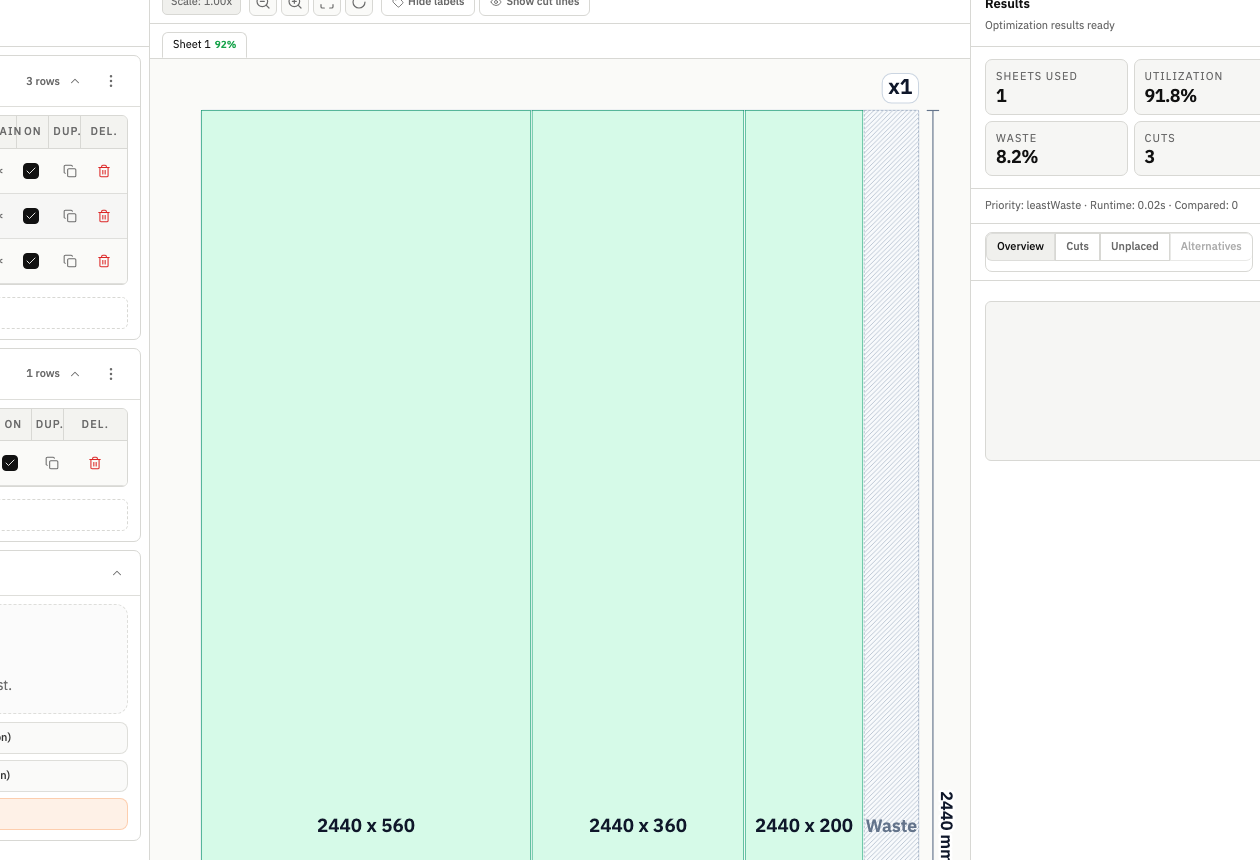
Start with decision quality, not saw speed
If your panel jobs regularly run over estimate, waste usually starts in planning, not on the machine.
Most teams do not lose margin because operators are careless. They lose margin because the plan reaches production with weak assumptions: mixed units, duplicate part rows, unrealistic stock availability, incorrect kerf defaults, or no explicit strategy choice. Once the sheet is on the table, those decisions become expensive to undo.
This guide gives you a practical workflow to reduce material waste in panel cutting before release. It is built for real production constraints, not spreadsheet theory.
1) Normalize your input data before optimization
Optimization quality is bounded by input quality. If the input is inconsistent, the layout can still look efficient while hiding avoidable waste.
Use this input baseline on every job:
- One unit system per project.
- No duplicate part rows with slight naming differences.
- Quantities validated against quote scope.
- Stock dimensions represent what is actually available.
- Material tags and orientation constraints set only where needed.
When teams skip this step, they often run several "optimization" attempts that are only correcting input noise. That creates false confidence and burns planning time.
Practical check
Before first run, ask one question: "Would the operator recognize every part and stock row in this file without verbal explanation?"
If the answer is no, clean the data first.
2) Model real stock, not ideal stock
A common planning mistake is treating stock as unlimited or perfectly sized, then discovering shortages in production.
For a waste-reduction workflow, stock setup should reflect reality:
- Use fixed sheet counts when inventory is constrained.
- Separate standard stock from premium stock.
- Keep remnant assumptions explicit.
- Avoid hidden substitutions between materials.
If your optimizer assumes stock that is not actually on hand, utilization percentages become misleading. A 94% layout on imaginary stock can still produce emergency re-cuts on the floor.
3) Configure constraints before comparing outcomes
Do not compare optimization outcomes until you apply constraints that matter in your shop.
At minimum, set:
- Kerf (saw blade thickness).
- Orientation and grain requirements.
- Preferred cut behavior for your workflow.
- Optimization depth aligned with planning timeline.
Many teams compare alternatives too early, then select a "winner" that only wins in a simplified model. After realistic constraints are added, the selected layout may no longer be feasible.
4) Compare strategies with operational context
Waste reduction is not only about maximizing utilization.
In many jobs, a slightly lower utilization can still be the better choice if it reduces cut complexity, handling risk, or rework probability.
A practical strategy review should include:
- Utilization and unused area.
- Total cuts and cut pattern complexity.
- Sheet count and stock consumption profile.
- Unplaced parts and recovery options.
- Readability of the layout for handoff.
This is where compare optimization strategies becomes critical. If you only run one default strategy, you rarely see the real tradeoff surface.
5) Build a release gate before exporting
High-performing teams define a short release checklist so no layout is exported without final validation.
Recommended gate:
- Kerf confirmed against current blade setup.
- Grain and orientation checks completed.
- Unplaced parts reviewed and resolved.
- Chosen strategy documented.
- Export package validated (visual + structured outputs).
This checkpoint takes a few minutes and prevents expensive mistakes from reaching production.
6) Pair visual and structured exports
Waste often increases when planning intent is lost between estimator, planner, and operator.
Avoid single-format handoff.
Use both:
- Visual layout reference (for quick floor interpretation).
- Structured cut list output (for repeatability and audit trail).
This combination reduces interpretation drift and helps teams rerun the same logic when scope changes.
7) Use post-run feedback to improve the next job
A workflow only improves if you close the loop.
After each job, capture:
- Final utilization vs estimated utilization.
- Parts that required recut and why.
- Constraint adjustments made late in process.
- Strategy that performed best in production reality.
Over time, this creates stable defaults and lowers planning variance across projects.
Common waste patterns and fixes
Pattern: utilization looks high but labor cost rises
Cause: strategy selected for yield only, cut complexity ignored.
Fix: compare at least two strategies and include cut count + readability in selection.
Pattern: repeated fit issues in otherwise "optimized" layouts
Cause: kerf setup not synchronized with real blade configuration.
Fix: lock kerf validation into release gate and rerun affected projects when blade changes.
Pattern: layout churn late in process
Cause: grain/orientation constraints applied after initial decision.
Fix: configure orientation rules before the first serious comparison pass.
Pattern: frequent "unexpected" stock shortages
Cause: planning assumptions use ideal stock instead of actual availability.
Fix: model fixed stock quantities and remnant policy explicitly.
A practical operating cadence
Use this cadence to keep waste reduction predictable:
- Clean inputs (parts + stock).
- Set constraints (kerf, grain, orientation).
- Run strategy comparison.
- Select with operational tradeoffs, not one metric.
- Pass release gate.
- Export visual + structured package.
- Record outcomes for next default update.
This cadence works for cabinet batches, custom workshop jobs, and fabrication queues where priorities shift between utilization and throughput.
Where CutOps fits in this workflow
CutOps supports this process because setup, optimization, comparison, and exports remain in one browser workspace.
Use these next steps:
- Configure a kerf-aware cut list optimizer setup for your default blade profile.
- Apply grain direction cutting optimizer rules before strategy selection.
- Open the workspace and run two strategy variants on your current project.
When teams make the planning decision process explicit, waste reduction becomes repeatable instead of accidental.