Cabinet side and shelf batches
Plan repeated cabinet components across multiple sheets, verify yield, and confirm cut count before committing material for production runs.
Cut Optimization
CutOps gives woodworking teams a browser-based woodworking cut optimizer that handles real cabinet workflow constraints from the first run. You can load sheet stock, add panels, set quantity, and run a layout that is readable enough for the floor, not just mathematically efficient on paper.
Whether you are planning a kitchen batch, closet modules, or one-off custom millwork, the goal is the same: reduce avoidable sheet waste while keeping the cut sequence practical. CutOps combines cut list planning, layout review, and export in one workspace so quoting, review, and production stay aligned.
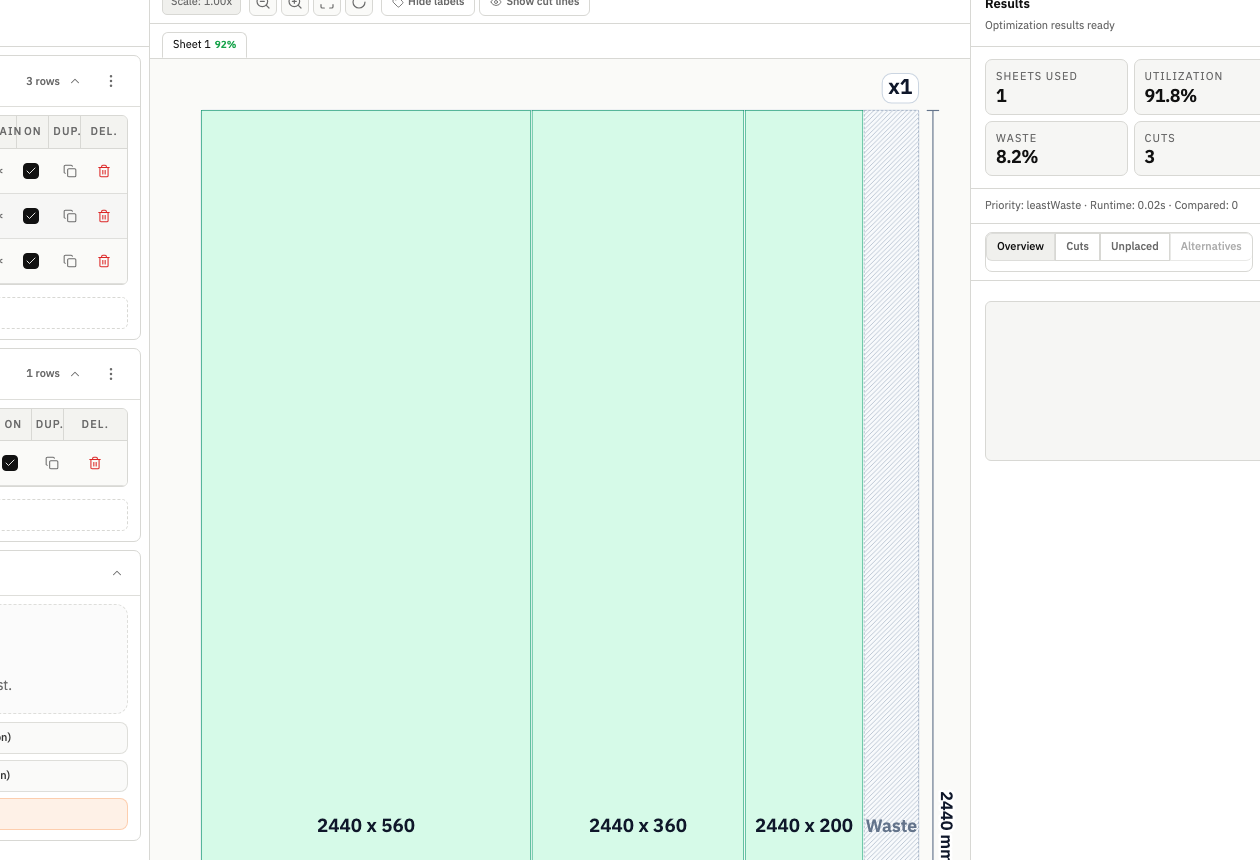
A woodworking cut optimizer is most useful when it reflects workshop reality. Kerf, grain direction, stock limits, and handling complexity all affect yield and labor. CutOps keeps those constraints visible before release so teams can avoid late layout changes and margin leakage.
CutOps keeps part, stock, and result context in one workspace so woodworking teams can move from job inputs to actionable layouts without rebuilding spreadsheets. The layout view, KPI summary, and exports are generated from the same run, which reduces interpretation gaps between planning and floor execution.
Because CutOps is browser-based, solo builders and multi-person shops can start quickly, compare alternatives when needed, and export visual plus structured outputs for handoff. That consistency is critical for cabinet and millwork projects where small layout differences can change material cost and labor time.
Plan repeated cabinet components across multiple sheets, verify yield, and confirm cut count before committing material for production runs.
Build clean cut plans for common board materials while balancing utilization and cut simplicity for faster handling on the saw.
Model realistic stock and panel requirements in advance so estimators and operators review the same plan with the same assumptions.
Build topical context from feature-specific workflows. Use these pages to compare optimization strategies, validate constraints, and move from planning to production release with fewer surprises.
Yes. CutOps is designed for rectangular sheet materials including plywood, MDF, melamine, and similar panels. You can configure stock sizes and quantities to match what is actually available before optimization.
Yes. You can set kerf (saw blade thickness), grain direction behavior, orientation preferences, and optimization depth so the result matches shop constraints instead of a generic nesting assumption.
You get a visual layout, utilization and cut metrics, and export options including PDF, CSV, PNG, and JSON. This supports internal review, operator handoff, and reproducible re-runs.
Use the CutOps woodworking cut optimizer to validate yield, cut complexity, and sheet usage before your first cut.