Panel saw cut list preparation
Generate kerf-aware layouts, then use the ordered cut-list CSV and visual report as planning data. Direct import depends on the target controller's supported schema and mapping.
Machine-Neutral CNC Planning
CutOps plans rectangular panel layouts for saw and router workflows. Set kerf, apply per-part rotation rules, then export visual references, structured data, or a machine-neutral DXF R12 package for downstream CAD/CAM validation.
CutOps does not generate G-code, toolpaths, controller files, or manufacturer-specific postprocessors. Confirm schema mapping, scale, origin, tooling, compensation, and generated toolpaths in the target software before production.
Some features are available only on paid plans.
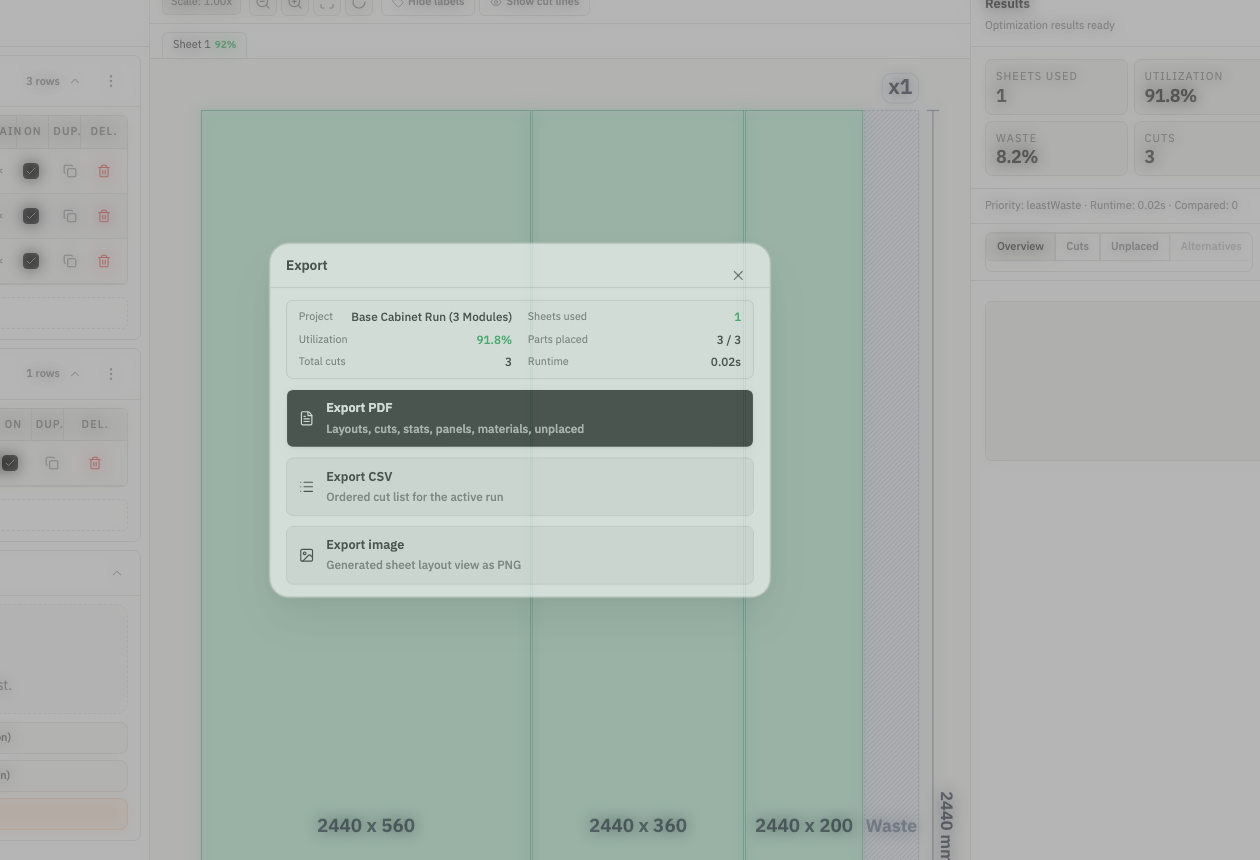
A useful CNC handoff starts with accurate rectangular geometry, kerf, stock, and rotation rules. CutOps represents those planning inputs consistently, while machine-specific conversion and final validation remain in the downstream CAD/CAM and controller workflow.
The DXF package contains one ASCII DXF R12 file per unique pattern, plus JSON and CSV manifests, a placements CSV, and operator guidance. Stock and part geometry are always included; cut lines, offcuts, and labels are optional layers.
Parts and stock CSV files support data exchange, the ordered cut-list CSV describes the active result, and PDF or PNG provides visual context. None of these files is a universal machine-control format, so validate the chosen output in the target workflow.
Generate kerf-aware layouts, then use the ordered cut-list CSV and visual report as planning data. Direct import depends on the target controller's supported schema and mapping.
Plan rectangular sheet layouts and export DXF geometry or placement data for validation and toolpath generation in downstream CAD/CAM software.
Validate layout efficiency and sheet count before the job reaches the CNC machine, reducing wasted setup time on the floor.
Build topical context from feature-specific workflows. Use these pages to compare optimization strategies, validate constraints, and move from planning to production release with fewer surprises.
Yes. CutOps exports parts and stock CSV files plus an ordered cut-list CSV for the selected result. Whether a controller can import a file directly depends on its supported schema and field mapping; CutOps does not claim universal machine import.
You enter the kerf value used for planning, and CutOps includes it when generating placement and cut geometry. Confirm the value together with tooling and compensation settings in the downstream machine workflow.
No. CutOps produces rectangular layout data and a machine-neutral DXF R12 geometry package, not G-code, toolpaths, controller files, or manufacturer-specific postprocessors. CAD/CAM software remains responsible for machine-specific output.
Yes. You can start with core layout planning in your browser and review the result before cutting.
Yes. CutOps supports PDF and PNG for visual handoff plus CSV and JSON for structured downstream use.
Plan rectangular panels with kerf, then export the reviewed result for validation in your downstream CAD/CAM and machine workflow.
Cookie and privacy preferences
We use strictly necessary cookies to run CutOps. With your consent, we also collect limited analytics to improve the product. Read our Privacy Policy for details.