Replacing a recurring job template
Save your common stock and parts setup in CutOps instead of maintaining a spreadsheet, then rerun the job without rebuilding every input row.
Structured Cut List Setup
Need a starting sheet? Download the CutOps cut list template CSV and fill in part IDs, names, dimensions, quantities, rotation settings, materials, and grain direction. It is a practical way to standardize intake before optimization.
When you are ready, import the completed template into the Parts table and run optimization. The same rows become optimizer inputs, so there is no manual re-entry before layout, kerf handling, and production export.
Some features are available only on paid plans.
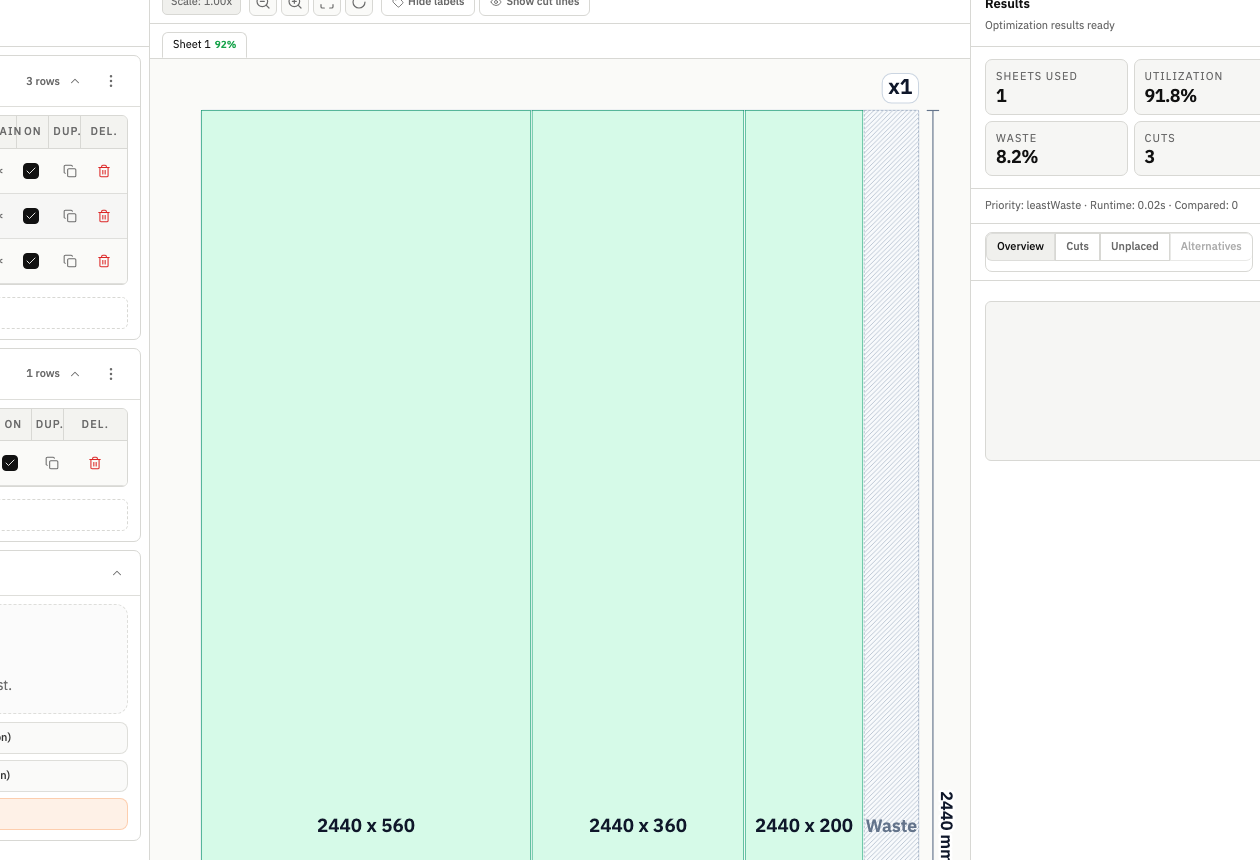
A spreadsheet template records what to cut. An optimizer evaluates how rectangular parts can fit on available stock, while keeping the input rows, result metrics, and exports in one workflow.
The template helps teams collect clean part data quickly, especially when a customer or estimator needs a familiar worksheet first.
CutOps then handles what templates cannot: optimized part placement, utilization tracking, kerf-aware sizing, and shareable exports from one run.
Save your common stock and parts setup in CutOps instead of maintaining a spreadsheet, then rerun the job without rebuilding every input row.
New to cut planning? CutOps guides you through parts, stock, constraints, and layout in one flow — no template design required.
Export PDF or PNG for visual review, CSV or JSON for structured handoff, or a machine-neutral DXF package for downstream validation.
Build topical context from feature-specific workflows. Use these pages to compare optimization strategies, validate constraints, and move from planning to production release with fewer surprises.
Yes. Save your job in CutOps with parts, stock, and constraints set. When the job recurs, re-run the optimizer and get an updated layout without rebuilding the cut list from scratch.
CutOps generates rectangular layouts, calculates utilization, applies kerf, follows per-part rotation locks, and creates visual and structured exports. Material matching and grain-direction enforcement help keep compatible parts and stock aligned.
Yes. Download the starter CSV from this page, fill it out, and import it into the Parts table in the CutOps workspace. The published columns and sample values follow the same parser contract used by the app.
Yes. You can start with core layout planning in your browser and review the result before cutting.
Yes. CutOps supports PDF and PNG for visual handoff plus CSV and JSON for structured downstream use.
Open CutOps, enter or import parts and stock, and keep the generated layout and utilization metrics tied to the same job data.
Cookie and privacy preferences
We use strictly necessary cookies to run CutOps. With your consent, we also collect limited analytics to improve the product. Read our Privacy Policy for details.