Commercial glazing panel batches
Plan rectangular glass panel groups, validate utilization, and check cut distribution before committing high-value sheet material.
Cut Optimization
CutOps gives glass teams a glass cutting optimizer workflow that keeps planning decisions visible before the first cut. You can define required panel sizes, available sheet stock, and optimization settings, then review layout and metrics in a single browser session.
Glass workflows often require clear communication between planning and execution. CutOps supports that by combining visual sheet layouts with structured exports so reviewers and operators can work from the same output without manual translation.
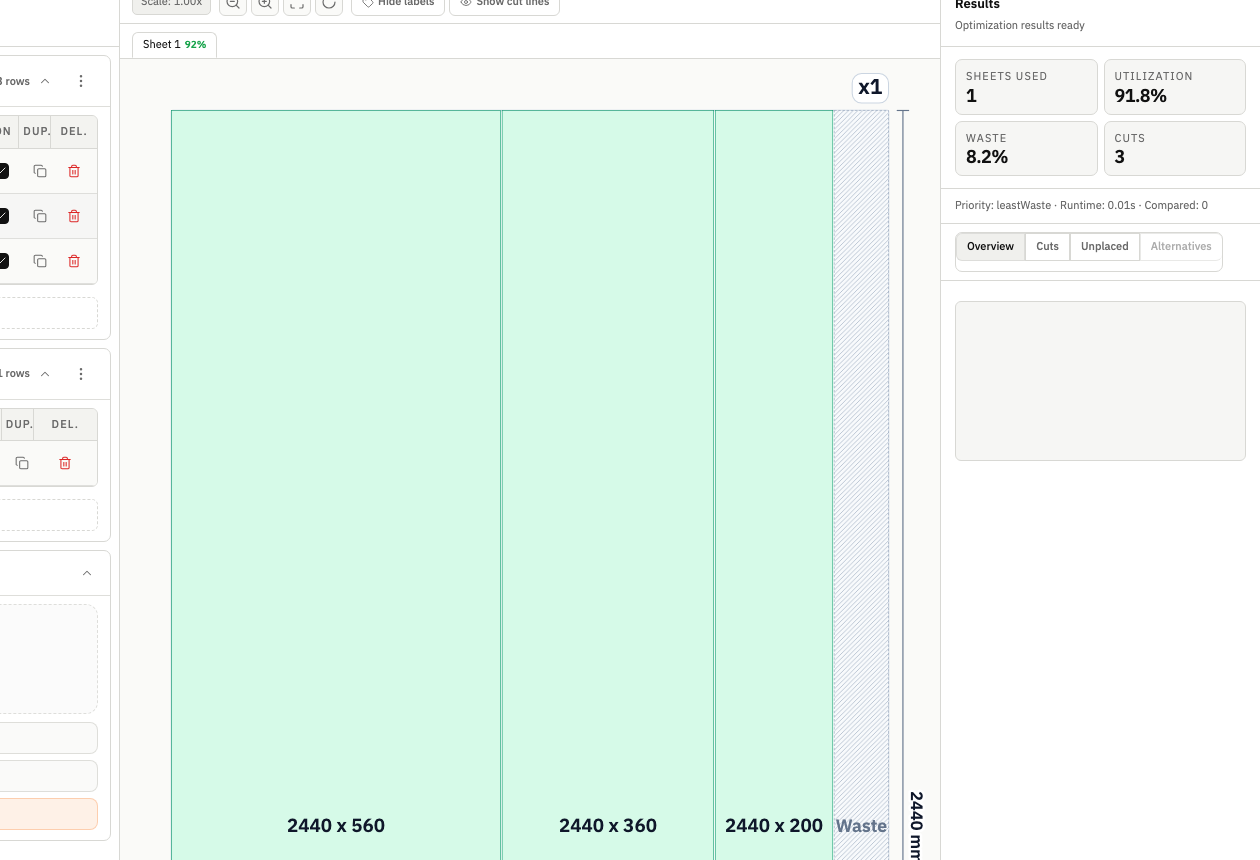
A useful glass cutting optimizer needs to be predictable and readable. CutOps emphasizes deterministic runs, practical review steps, and export-ready outputs so layout decisions are easier to validate and repeat.
CutOps helps teams move beyond one-dimensional yield percentages by exposing sheet usage, cut count, and layout clarity together. That is useful for glass operations where execution confidence matters as much as raw utilization.
Because everything runs in the browser, teams can review a job quickly, adjust constraints, and re-run without installation overhead. This shortens planning loops and improves decision quality before material is committed.
Plan rectangular glass panel groups, validate utilization, and check cut distribution before committing high-value sheet material.
Model stock and demand clearly so teams can reduce avoidable leftovers and prioritize layouts that are realistic to execute.
Export visual plus structured artifacts from one run to improve consistency across review, production, and documentation.
Build topical context from feature-specific workflows. Use these pages to compare optimization strategies, validate constraints, and move from planning to production release with fewer surprises.
Yes. CutOps supports rectangular sheet optimization workflows and can be used for glass planning where teams need clear layout visibility and export-ready outputs.
No. CutOps is browser-based. You can run optimization, review layouts, and export results without installing desktop software.
Teams typically validate layout, utilization, and cut metrics in the results rail, then export PDF or PNG for visual communication and CSV/JSON for structured downstream use.
Run your glass cutting plan in CutOps, verify the tradeoffs, and export a clear production handoff.