Blade-width-sensitive panel jobs
Validate tight-fit layouts where kerf deductions can change whether parts place correctly on available sheets.
Cut Optimization
CutOps includes a kerf cutting optimizer workflow so teams can calculate layouts using real saw blade thickness instead of idealized geometry. Kerf affects fit, cut count assumptions, and final part accuracy, so planning with realistic values is critical.
By setting kerf directly in the optimization configuration, you can evaluate whether a layout is truly feasible before release. That helps reduce recuts and avoids surprises caused by underestimating material loss during each cut.
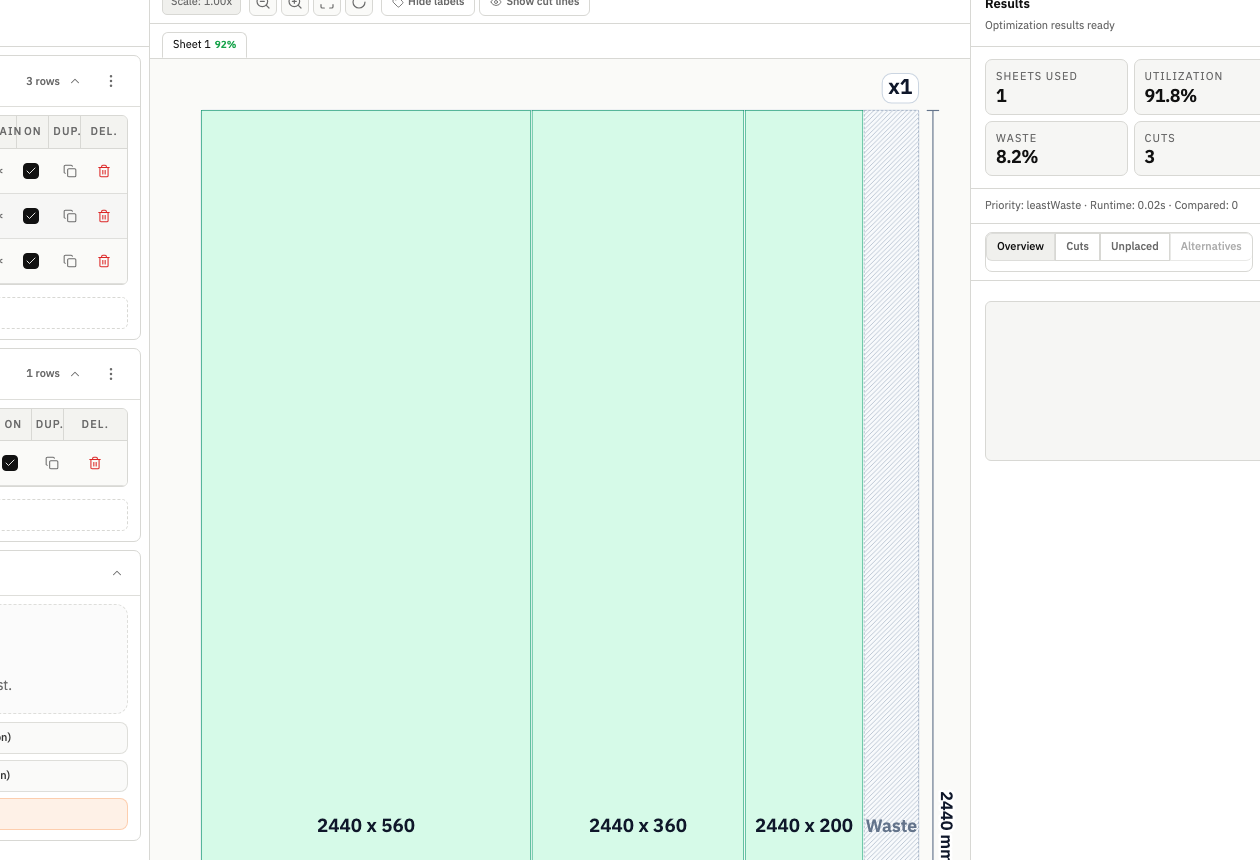
A kerf-aware cut list optimizer improves both accuracy and confidence. CutOps lets you treat kerf as a first-class planning input so layout quality is measured against real cutting conditions, not theoretical assumptions.
CutOps applies kerf to optimization decisions so you can evaluate realistic fit outcomes and avoid hidden assumptions. This is useful for both single-run projects and repeated production workflows where small differences become costly over time.
Because kerf is integrated into the same planning surface as stock, parts, and exports, teams can audit settings quickly and keep release decisions traceable. That consistency is hard to maintain in spreadsheet-heavy processes.
Validate tight-fit layouts where kerf deductions can change whether parts place correctly on available sheets.
Set consistent kerf defaults across team workflows so quoting and production calculations remain aligned.
Update kerf values when blade configuration changes and re-check yield and placement before committing material.
Build topical context from feature-specific workflows. Use these pages to compare optimization strategies, validate constraints, and move from planning to production release with fewer surprises.
Kerf is the material width removed by the blade during each cut. If kerf is ignored or underestimated, final part fit and layout feasibility can be inaccurate.
Yes. CutOps supports kerf as a configurable optimization input so the generated layout reflects realistic blade-width deductions.
Yes. A quick kerf check before final export is a practical quality-control step that helps prevent avoidable downstream recuts.
Configure real blade thickness, run optimization, and export a layout that matches practical cutting conditions.